SSL Pinning Bypass Walkthrough
🔒 SSL Pinning Bypass Deep Dive
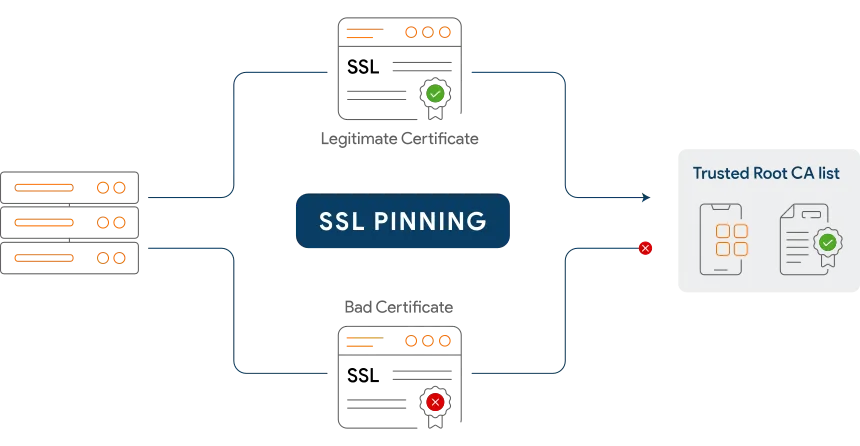
In this walkthrough, we analyze and bypass SSL certificate pinning inside an Android application using APKTool static analysis and network security config manipulation.
We will:
- Understand SSL/TLS and how certificate pinning works
- Identify the pinning mechanism inside the target application
- Patch the network security configuration
- Rebuild, resign, and redeploy the APK
- Successfully intercept HTTPS traffic through Burp Suite
🧠 What Is SSL?
SSL (Secure Sockets Layer) is a cryptographic protocol that establishes encrypted, authenticated communication channels between clients and servers. It ensures data confidentiality, integrity, and authenticity during transit.
Modern implementations use TLS (Transport Layer Security) — SSL’s successor — but the term “SSL” remains widely used in practice.
The TLS handshake involves four stages:
- Certificate Exchange — The server presents its X.509 certificate, signed by a Certificate Authority (CA) trusted by the client’s OS.
- Key Exchange — Client and server negotiate a shared symmetric session key using asymmetric cryptography (e.g., ECDHE).
- Authentication — The client verifies the server’s certificate chain back to a trusted root CA, preventing impersonation.
- Encrypted Channel — All subsequent communication is encrypted with the negotiated session key — unreadable without it.
SSL prevents man-in-the-middle (MITM) attacks by ensuring the server the client is connected to is who it claims to be.
📌 What Is SSL Pinning?
SSL Pinning is a hardened trust mechanism where an application is pre-configured to accept only a specific certificate or public key from its server — ignoring the OS-level system trust store entirely.
Instead of validating against any CA in the system trust store, the app compares the server’s certificate or public key hash against a hardcoded expected value embedded in the app binary or configuration. If they don’t match — the connection is rejected.
Security Implication: If a proxy (e.g., Burp Suite) intercepts traffic and presents its own certificate, the app detects the mismatch and refuses to communicate. The app simply will not work with any proxy configuration active.
Pinning Types
Certificate Pinning
The full certificate (DER/PEM) is embedded and compared. More brittle — breaks on certificate renewal unless the app is updated.
Public Key Pinning (SPKI)
Only the Subject Public Key Info (SPKI) hash is pinned. Survives certificate renewal if the same key pair is reused. More robust and preferred in production.
🛑 Bypass Techniques Overview
Technique 1 — Add a Custom CA to the System Trust Store
On rooted devices, install the proxy CA directly into the Android system certificate store at /system/etc/security/cacerts/. Apps that trust system CAs will then accept it without modification.
Requirement: Root access on the device.
Technique 2 — Overwrite a Bundled CA Certificate
If the app packages its own CA inside the APK’s assets/ or res/raw/ directory, replace that cert file with your own CA, then recompile and resign.
Requirement: APK decompilation and resigning.
Technique 3 — Frida Runtime Hooking
Hook TrustManager, OkHttp, or native SSL functions at runtime using Frida to force-accept any certificate presented — bypassing all validation logic dynamically.
Requirement: Frida server running on the device.
Technique 4 — Network Security Config Manipulation (Covered Below)
Decompile the APK, edit network_security_config.xml to trust user-installed CA certificates, then rebuild and resign. The most practical approach for non-rooted devices.
Requirement: APKTool + signing tool.
Technique 5 — Reversing Custom Certificate Code
Statically analyze and patch the specific pinning logic in smali bytecode or native JNI code. Required when the app implements custom pinning logic outside the standard Android APIs.
Requirement: smali knowledge, jadx, and manual analysis.
🎯 Target Analysis
Application: Indeed Job Search

When launching the Indeed application with an active proxy configuration on the device, the app fails to load any content. Network requests are silently dropped — a classic indicator of SSL certificate pinning or strict certificate trust enforcement.
🔬 Exploitation Steps
Step 1 — Extract the APK from the Device
Identify the installed package path and pull the APK to the local machine:
1
2
3
4
5
# List all installed third-party packages with their file paths
pm list packages -f -3

# Pull the APK using the path from the output above
adb pull /data/app/com.indeed.android.jobsearch-*/base.apk indeed.apk
Step 2 — Decompile with APKTool
Use APKTool to decode the APK into its editable smali and resource representation:
1
2
# Decompile — preserves resources, manifests, and XML configs
apktool d indeed.apk -o indeed_decoded/
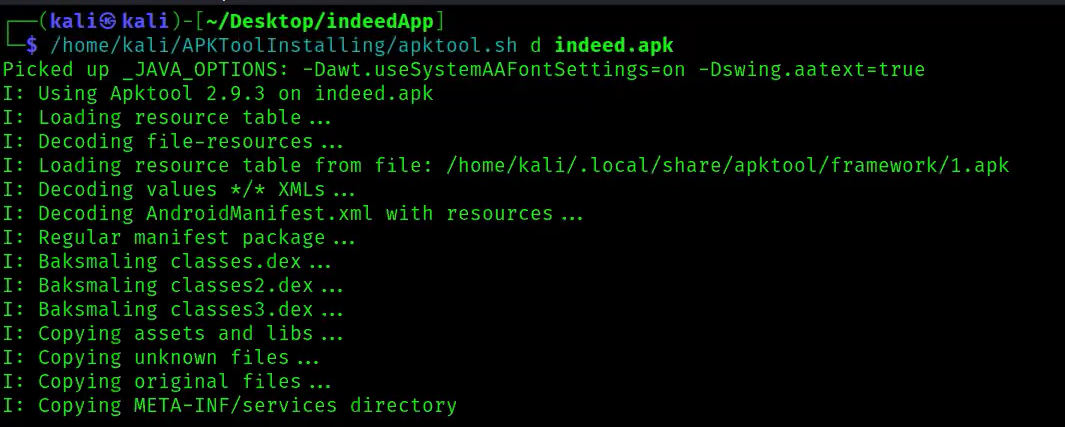
Reference: APKTool Install Guide
Step 3 — Locate and Analyze the Network Security Config
Navigate to the XML resource that controls Android’s certificate trust behavior:
1
cat indeed_decoded/res/xml/network_security_config.xml
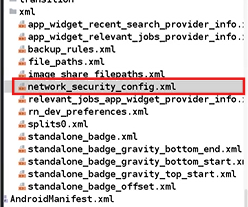
The file reveals the trust policy:
1
2
3
4
5
6
7
8
9
10
11
12
13
14
15
16
17
<?xml version="1.0" encoding="utf-8"?>
<network-security-config>

    <base-config cleartextTrafficPermitted="true">
        <trust-anchors>
            <certificates src="system"/>   <!-- ONLY system CAs are trusted -->
        </trust-anchors>
    </base-config>

    <debug-overrides>
        <trust-anchors>
            <certificates src="system"/>
            <certificates src="user"/>     <!-- user CAs only in debug builds -->
        </trust-anchors>
    </debug-overrides>

</network-security-config>
Root Cause Identified: The base-config only trusts src="system" certificates. Burp Suite’s CA is installed as a user certificate — which is rejected in production builds. The debug-overrides block (which would allow user certs) only applies to debuggable="true" builds and is ignored here.
Step 4 — Patch the Network Security Config
Modify network_security_config.xml to explicitly include user certificate trust in the base configuration:
1
2
3
4
5
6
7
8
9
10
11
12
13
14
15
16
17
<?xml version="1.0" encoding="utf-8"?>
<network-security-config>

    <base-config cleartextTrafficPermitted="true">
        <trust-anchors>
            <certificates src="system"/>
            <certificates src="user"/>   <!-- Added: trust user-installed CAs -->
        </trust-anchors>
    </base-config>

    <debug-overrides>
        <trust-anchors>
            <certificates src="system"/>
        </trust-anchors>
    </debug-overrides>

</network-security-config>
Step 5 — Rebuild the APK
Recompile the modified directory back into an APK:
1
2
# Rebuild from the decoded/patched directory
/home/kali/APKToolInstalling/apktool.sh b indeed_decoded/ -o indeed_patched.apk
APKTool recompiles smali back to DEX and repacks all resources. The output APK is unsigned at this stage and cannot be installed yet.
Step 6 — Sign the Patched APK
Android requires all APKs to be signed before installation. Use uber-apk-signer to auto-generate a debug keystore and sign:
1
2
3
4
5
# Sign and zipalign the rebuilt APK
java -jar /home/kali/TOOLS/uber-apk-signer/uber-apk-signer.jar \
     --apks indeed_patched.apk

# Output: indeed_patched-aligned-debugSigned.apk
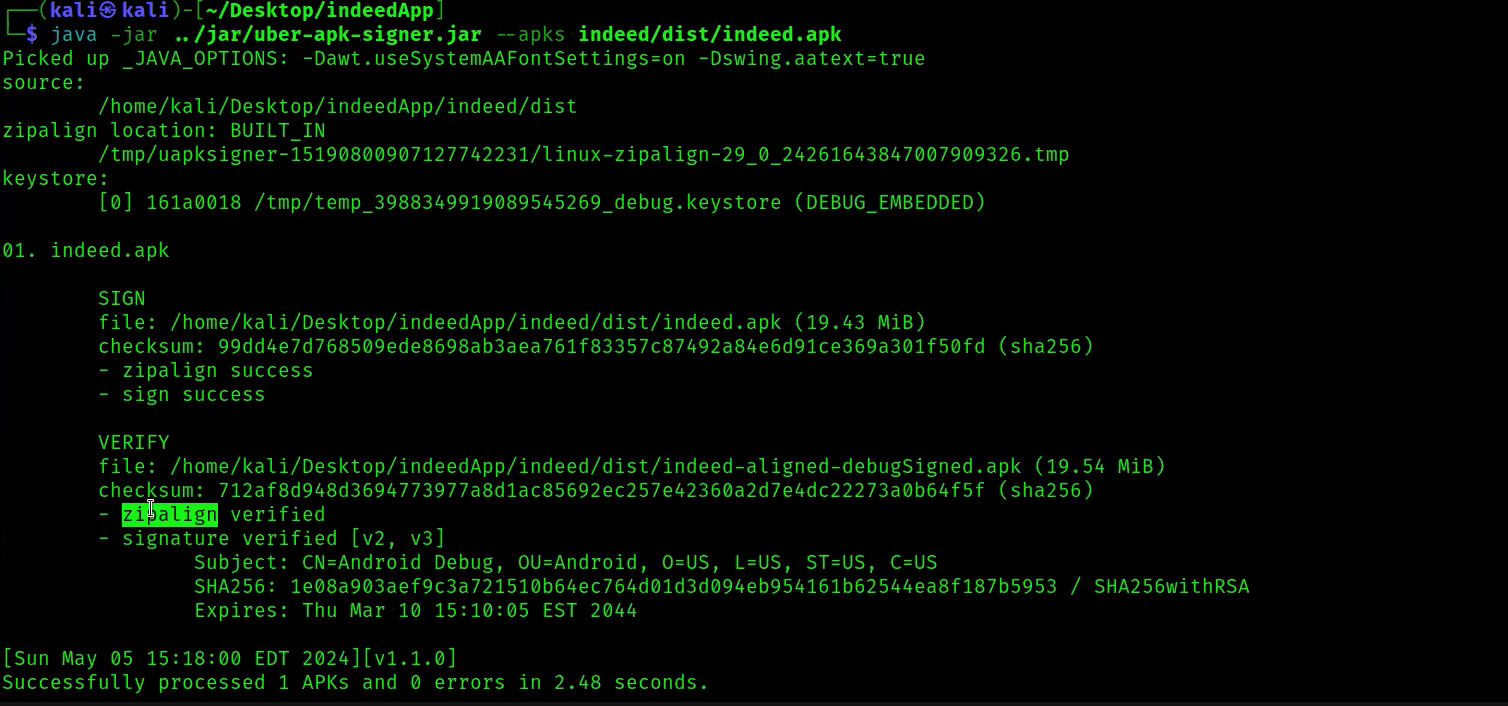
Reference: uber-apk-signer on GitHub
Step 7 — Deploy to Device / Emulator
1
2
3
# Uninstall the original app, then install the patched version
adb uninstall com.indeed.android.jobsearch
adb install indeed_patched-aligned-debugSigned.apk
🔬 Flow Comparison
Normal Flow — Pinning Active
1
App Launch → TLS Handshake → Proxy Cert Detected → Connection Refused
Patched Flow — Pinning Bypassed
1
Patched APK → TLS Handshake → User CA Trusted → Traffic Intercepted ✓
RESULTS
Before :
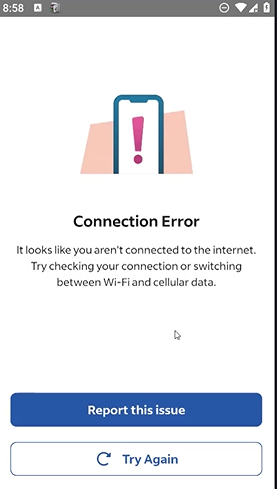
After :

🧠 Why This Works
- The trust policy is defined entirely in a static XML resource file
network_security_config.xmlhas no runtime integrity protection- APKTool can decompile, modify, and repackage without device root
- Android does not re-verify the original publisher’s signing certificate for sideloaded APKs
- Resigning with a self-generated debug certificate is sufficient for installation
- No native code or Play Integrity check validates the network config at runtime
Dynamic and static instrumentation techniques both ultimately rely on the same fundamental weakness — security logic that runs entirely on the client side can be modified or bypassed.
🛡️ Defensive Perspective
Client-side network configuration alone is insufficient as a security boundary.
Stronger protections include:
- Play Integrity API — Validates device integrity and app authenticity at the server level, detecting tampered or resigned APKs
- Native SPKI Pinning — Implement certificate hash comparison in JNI/C++ — significantly harder to patch than XML configuration files
- Anti-Hooking Detection — Detect Frida, Xposed, and other instrumentation frameworks at runtime before accepting any connections
- Mutual TLS (mTLS) — Require the client to present a certificate to the server — sideloaded apps won’t have the private key
- Certificate Transparency — Verify server certificates appear in expected CT logs; reject certs that don’t
- Binary Integrity Checks — Hash critical classes or native libraries at startup and compare against a trusted value from the server
Any security control implemented purely in a decompilable binary can be patched. Defense-in-depth requires server-side enforcement.
🧠 Final Thoughts
In this walkthrough we:
- Understood SSL/TLS handshake mechanics and how certificate pinning enforces trust
- Identified the root cause in
network_security_config.xml - Decompiled, patched, rebuilt, and resigned the target APK
- Successfully intercepted HTTPS traffic through Burp Suite proxy
- Demonstrated why client-side-only defenses are insufficient
All steps performed without:
- Device root access
- Firmware modification
- Frida instrumentation
- smali patching
Static APK patching techniques are effective even on non-rooted environments, making network_security_config.xml hardening alone an inadequate defense.