Root Detection Bypass Walkthrough
🔓 Root Detection Bypass Deep Dive
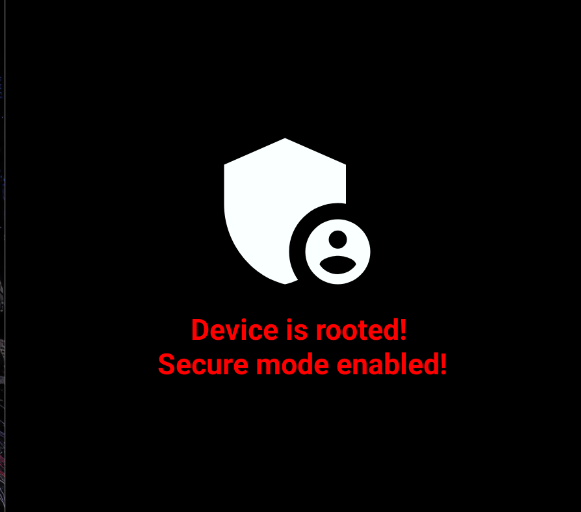
In this walkthrough, we analyze and bypass root detection logic inside an Android application using Frida dynamic instrumentation.
We will:
- Analyze the root detection implementation
- Understand how each detection method works
- Hook the detection logic at runtime
- Force the application to believe the device is not rooted
🧠 Target Analysis
The application contains the following class: 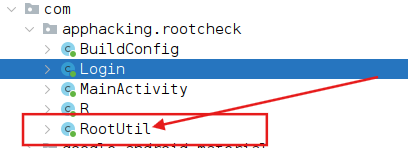
1
2
3
4
5
6
7
8
9
10
11
12
13
14
15
16
17
18
19
20
21
22
23
24
25
26
27
28
29
30
31
32
33
34
35
36
37
38
39
40
41
42
43
44
45
46
47
48
49
50
51
52
53
54
55
56
57
58
59
60
61
62
63
64
package com.apphacking.rootcheck;

public class RootUtil {

    public static boolean isDeviceRooted() {
        return checkRootMethod1() ||
               checkRootMethod2() ||
               checkRootMethod3();
    }

    private static boolean checkRootMethod1() {
        String buildTags = Build.TAGS;
        return buildTags != null && buildTags.contains("test-keys");
    }

    private static boolean checkRootMethod2() {
        String[] paths = {
            "/system/app/Superuser.apk",
            "/sbin/su",
            "/system/bin/su",
            "/system/xbin/su",
            "/data/local/xbin/su",
            "/data/local/bin/su",
            "/system/sd/xbin/su",
            "/system/bin/failsafe/su",
            "/data/local/su",
            "/su/bin/su"
        };

        for (String path : paths) {
            if (new File(path).exists()) {
                return true;
            }
        }
        return false;
    }

    private static boolean checkRootMethod3() {
        Process process = null;
        try {
            process = Runtime.getRuntime().exec(
                new String[]{"/system/xbin/which", "su"}
            );

            BufferedReader in = new BufferedReader(
                new InputStreamReader(process.getInputStream())
            );

            if (in.readLine() != null) {
                process.destroy();
                return true;
            }

            process.destroy();
            return false;

        } catch (Throwable th) {
            if (process != null) {
                process.destroy();
            }
            return false;
        }
    }
}
The application blocks execution if any of the three methods return true.
🛑 Root Detection Breakdown
Method 1 — Build Tags Check
1
2
String buildTags = Build.TAGS;
return buildTags != null && buildTags.contains("test-keys");
Android firmware is signed using cryptographic keys:
release-keys→ Official production firmwaretest-keys→ Engineering, development, or custom builds
Many rooted or custom ROM devices use test-keys.
If detected → device considered rooted.
Method 2 — SU Binary Detection
The app searches for common root-related files:
1
2
3
/system/xbin/su
/system/bin/su
/su/bin/su
If any of these files exist → root detected.
The su binary enables privilege escalation on rooted devices.
Method 3 — Runtime Command Check
1
/system/xbin/which su
If the command returns a path → su is available → rooted.
This confirms whether the binary is accessible through PATH.
🎯 Exploitation Strategy
Instead of modifying the APK or removing root binaries, we hook the main method:
1
RootUtil.isDeviceRooted()
We override it to always return:
1
false
This neutralizes all root checks at once.
💉 Frida Root Bypass Script
1
2
3
4
5
6
7
8
9
10
11
12
13
14
setImmediate(function () {
    Java.perform(function () {

        console.log("[*] Early hook loaded");

        var RootUtil = Java.use("com.apphacking.rootcheck.RootUtil");

        RootUtil.isDeviceRooted.implementation = function () {
            console.log("[+] Root check bypassed!");
            return false;
        };

    });
});
🚀 Execution Command
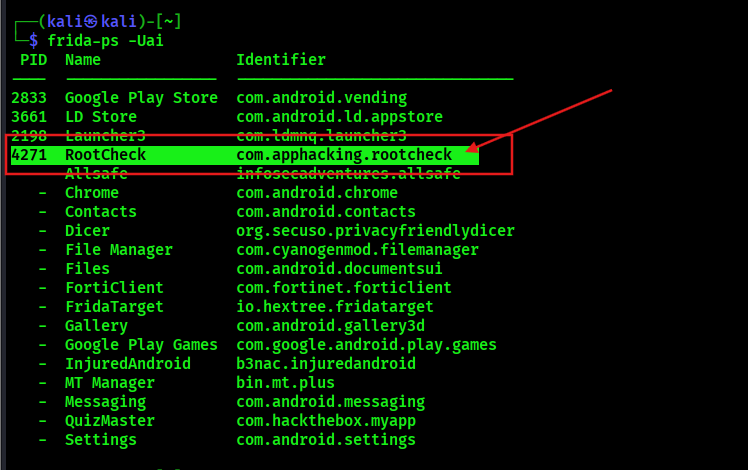
1
frida -U -f com.apphacking.rootcheck -l rootbypass.js
What happens:
- Frida spawns the app
- Hooks
isDeviceRooted() - Forces return value to
false - Application continues normally
🔬 Flow Comparison
Normal Flow
1
App → isDeviceRooted() → true → Block Execution
Hooked Flow
1
App → Hook → return false → Continue Execution
RESULTS
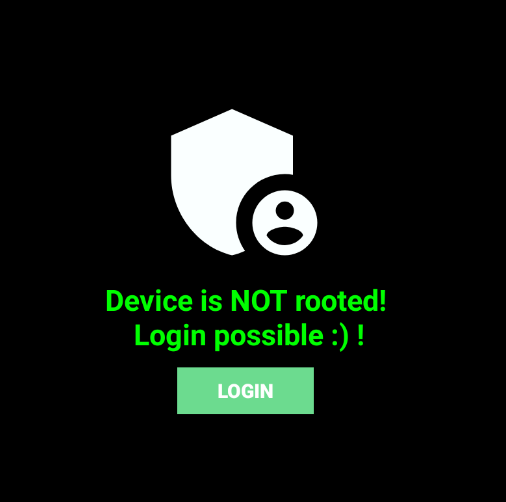

🧠 Why This Works
- Root detection is purely client-side
- No integrity verification
- No server validation
- All logic exists in memory and is hookable
Dynamic instrumentation allows full runtime manipulation without modifying the APK.
🛡️ Defensive Perspective
Client-side root checks alone are insufficient.
Stronger protections include:
- Server-side validation
- Play Integrity API
- Native code hardening
- Anti-hooking detection
If logic runs locally, it can be hooked.
🧠 Final Thoughts
In this walkthrough we:
- Analyzed three root detection techniques
- Identified attack surface
- Hooked root verification logic
- Bypassed root protection dynamically
All without:
- Modifying firmware
- Removing
su - Repacking the APK
- Editing smali
Dynamic instrumentation remains one of the most powerful techniques in Android security research.