Android AppLock Pattern Cracking Walkthrough

🔓 Android AppLock Pattern Cracking Deep Dive
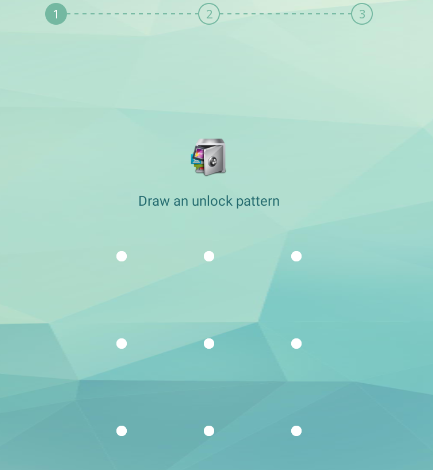
In this walkthrough, we analyze how an Android AppLock application stores its pattern lock and demonstrate how to recover the original pattern through reverse engineering and brute forcing.
Many Android AppLock applications rely on locally stored hashes, which can become an attack surface when extracted from the device.
In this lab we will:
- Analyze the application’s AndroidManifest
- Inspect SharedPreferences storage
- Identify the pattern encryption method
- Extract the stored pattern hash
- Recover the original unlock pattern
🧠 Application Overview
AppLock applications are designed to protect apps or files using a pattern lock.
However, if the application stores the lock pattern locally without strong protection, it becomes possible to retrieve and crack it.
Our target application stores its configuration inside:
1
SharedPreferences
Which is common for Android applications.
📦 Manifest Analysis
The AndroidManifest.xml reveals several permissions and exported components.

Two interesting exported components appear:
1
2
com.domobile.applock.receiver.BootBroadcastReceiver
com.domobile.applock.provider.ProfilesProvider
Exported components can sometimes expose attack surfaces such as:
- Intent injection
- Data leakage
- Unauthorized access
Although not directly needed for the pattern cracking attack, they are important from a security assessment perspective.
💾 SharedPreferences Analysis
Next we inspect the application’s SharedPreferences.
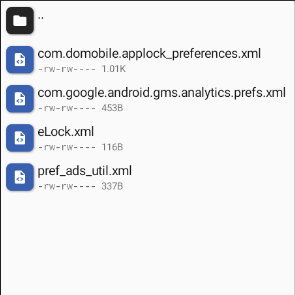
Inside the configuration file we discover the stored pattern value:
1
<string name="image_lock_pattern">2wTGRwcsTKXnuFMR4DEIRZrSt0k=</string>
This string represents the stored pattern lock.
At first glance it looks like Base64 encoded data.
🔍 Code Investigation
Searching the codebase for the key:
1
image_lock_pattern
leads us to the implementation responsible for pattern validation.
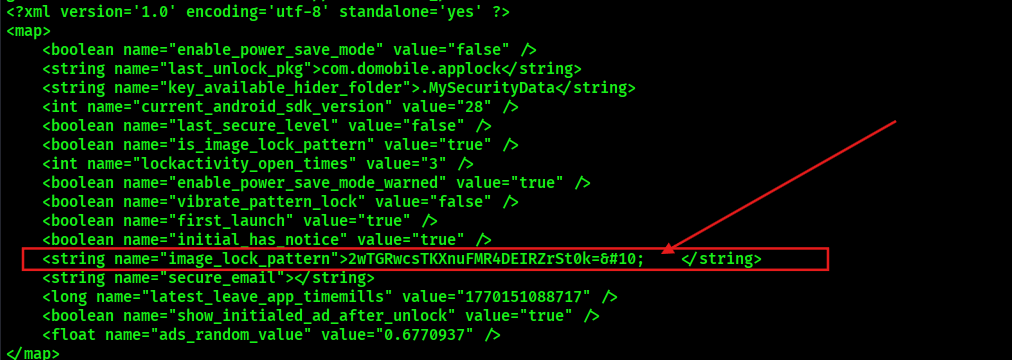
The code shows the following behavior:
- The pattern is hashed using SHA‑1
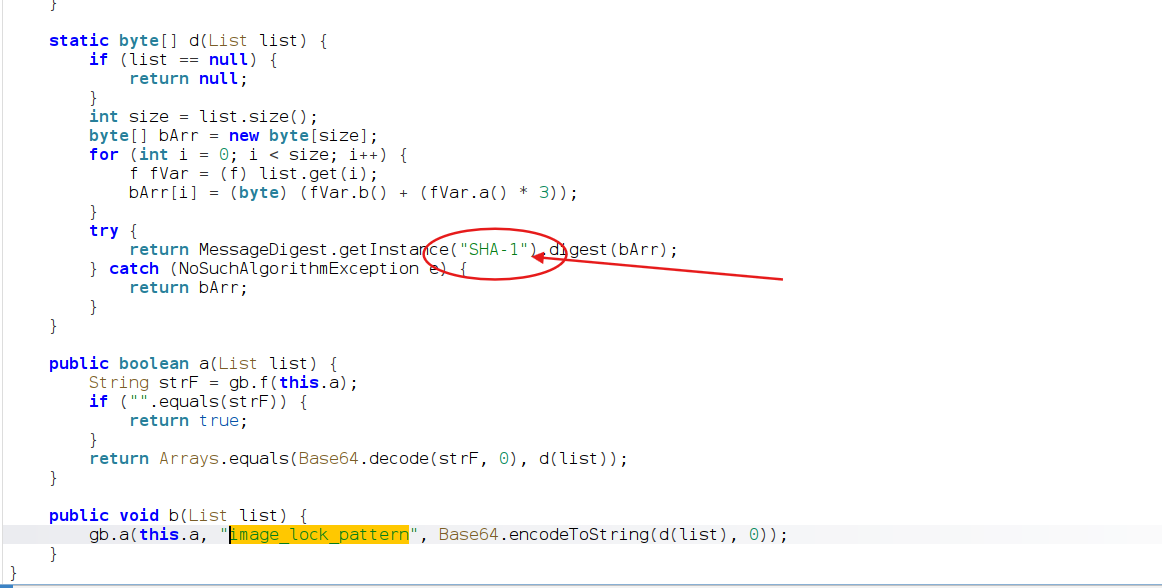

The resulting hash is Base64 encoded
The encoded value is stored inside SharedPreferences
Flow:
1
2
3
4
5
6
7
User Pattern
      ↓
SHA‑1 Hash
      ↓
Base64 Encoding
      ↓
Stored in SharedPreferences
Example stored value:
1
2wTGRwcsTKXnuFMR4DEIRZrSt0k=
🧩 Attack Strategy
Since the pattern is:
- SHA‑1 hashed
- Then Base64 encoded
We can attempt a brute-force attack against all possible Android lock patterns.
Fortunately, Android pattern locks have a limited keyspace, making brute forcing feasible.
To automate this, we use the tool:
1
https://github.com/sch3m4/androidpatternlock
🔧 Preparing the Hash
First we decode the stored value from Base64.
1
echo "2wTGRwcsTKXnuFMR4DEIRZrSt0k=" | base64 -d > pat.key
This creates the file:
1
pat.key
Which contains the raw SHA‑1 hash.
💻 Running the Brute Force Script
Next we run the cracking tool:
1
python2 aplc.py pat.key
The script will:
- Generate all valid Android patterns
- Hash them with SHA‑1
- Compare against the extracted hash
Once a match is found, the original pattern is revealed.
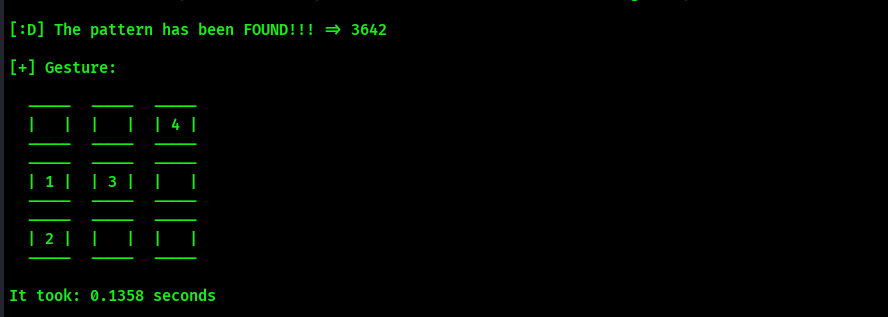
🎯 Result
The script successfully recovers the correct unlock pattern.
1
Pattern Found ✔
Meaning the AppLock protection can be bypassed.
Attack Flow
1
2
3
4
5
6
7
8
9
Extract SharedPreferences
        ↓
Decode Base64
        ↓
Recover SHA‑1 Hash
        ↓
Brute Force Pattern
        ↓
Recover Unlock Pattern
⚠️ Why This Works
The vulnerability exists because:
- Pattern hashes are stored locally
- No salting is used
- The pattern space is small
- No rate limiting exists
This allows offline brute-force attacks.
🛡️ Defensive Perspective
To protect against this type of attack, developers should implement:
Stronger Storage
- Use salted hashes
- Use Android Keystore
Secure Authentication
- Hardware-backed keystore
- Biometric authentication
- Encrypted storage
🧠 Final Thoughts
In this walkthrough we:
- Analyzed an Android AppLock implementation
- Identified insecure pattern storage
- Extracted the stored hash
- Performed offline brute-force cracking
- Successfully recovered the unlock pattern
This demonstrates a common issue in mobile security:
Client-side protections are only as strong as their storage mechanisms.
If sensitive authentication data is stored insecurely, it can often be recovered through reverse engineering.